
THE PRODUCT, UP CLOSE
See how the work comes together.
Explore deployments, domain routing, and troubleshooting in InfraPilot. Follow a short guided tour of real product screens, at your own pace.
Three workflows · No signup required · Community Edition screenshots
TAKE A CLOSER LOOK
Three workflows. One workspace.
Choose a workflow, then follow the highlighted areas.
A guided walkthrough of real product screenshots.
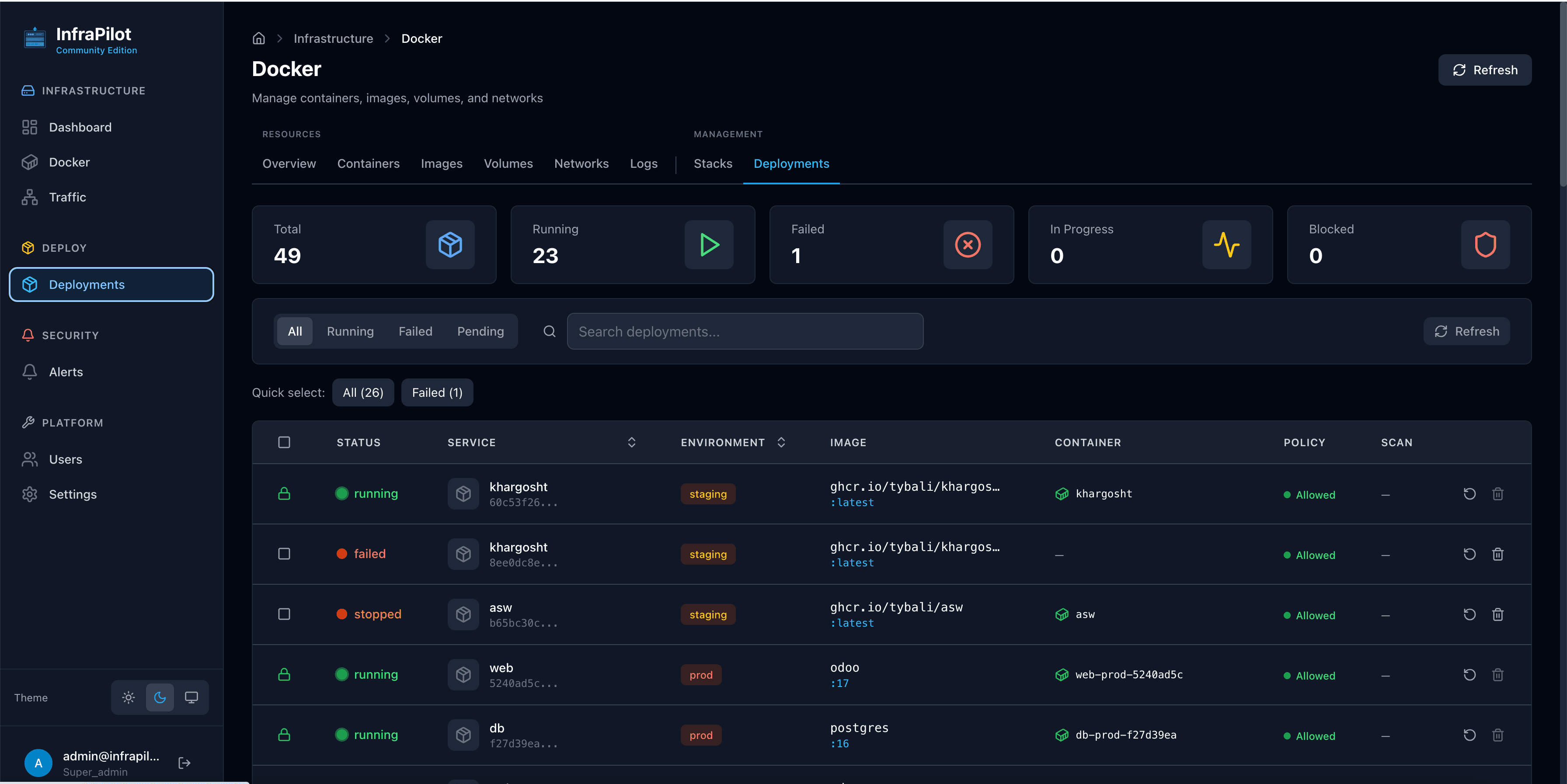
Follow a deployment from its status to the container it runs.
STEP 1 OF 3
See how your deployments are doing
Open Deployments to see running, failed, and in-progress releases. This captured installation has one failed deployment, making it easy to spot where a closer look is needed.
Start with the release status, before digging into individual containers.
Screenshots show a captured installation. Interface details and available features may vary by version and edition. Compare plans or read the documentation for setup instructions.